Your whole work environment, one click away.
Open your editor, terminal, dev servers, web pages and folders together, in the right order.
- MIT licensed
- No account
- No telemetry
- Local only
- 1.6 MB installer
- No admin rights
- Tauri and Rust
- Windows 10 and 11
- Linux preview
Seven steps every morning. Or one click.
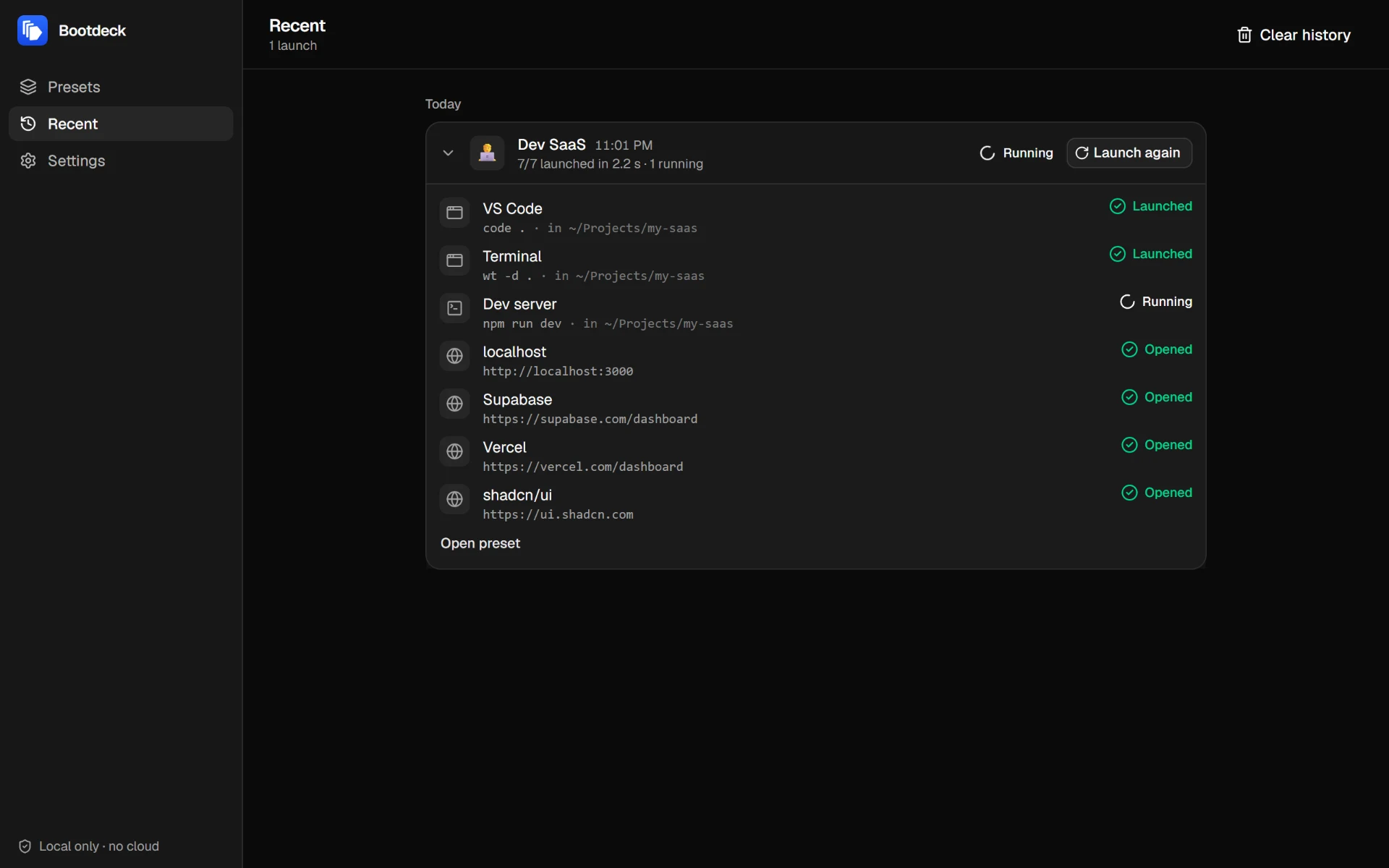
Bootdeck opens everything in the right order, then shows what launched, what is running and what failed.
By hand
Seven steps, and as many chances to forget one.
- 1Open VS Code in ~/Projects/my-saas
- 2Open a terminal in the same folder
- 3Run npm run dev
- 4Open http://localhost:3000
- 5Open the Supabase dashboard
- 6Open the Vercel dashboard
- 7Open the docs
With Bootdeck: one click, in order, with a status for each item.
Features
Everything a launch needs.
Presets for every project, and nothing that gets in the way.
Variables for every project
Write {project} or {port} once. Bootdeck asks for the values at launch and checks them, so no shell special character slips into a command.
Commands you can follow
Live output, exit code and a Stop button. Commands stop when Bootdeck closes.
Errors you can act on
Command not found, missing program or folder: you see what went wrong, with a link to fix the item.
Every launch, remembered
The history keeps your last 200 launches, the values you used and the result of each item. Launch again in one click.
Four kinds of items
Mix them freely. They open one after another, in the order you choose.
Applications
With arguments and a working folder.
Web pages
In your default browser.
Folders
In the file explorer.
Commands
With live output and a Stop button.
Keyboard first
Every common action has a shortcut.
- New preset
- CtrlN
- Save
- CtrlS
- Launch
- CtrlEnter
- Go back
- Esc
Set it up once. Launch it every day.
- 1
Create a preset
One per project, client or routine, with a name and an icon.
- 2
Add what you need
Applications, web pages, folders and commands, in the order they should open.
- 3
Launch
One click opens everything. Each item shows whether it opened, is running or failed.
 Bootdeck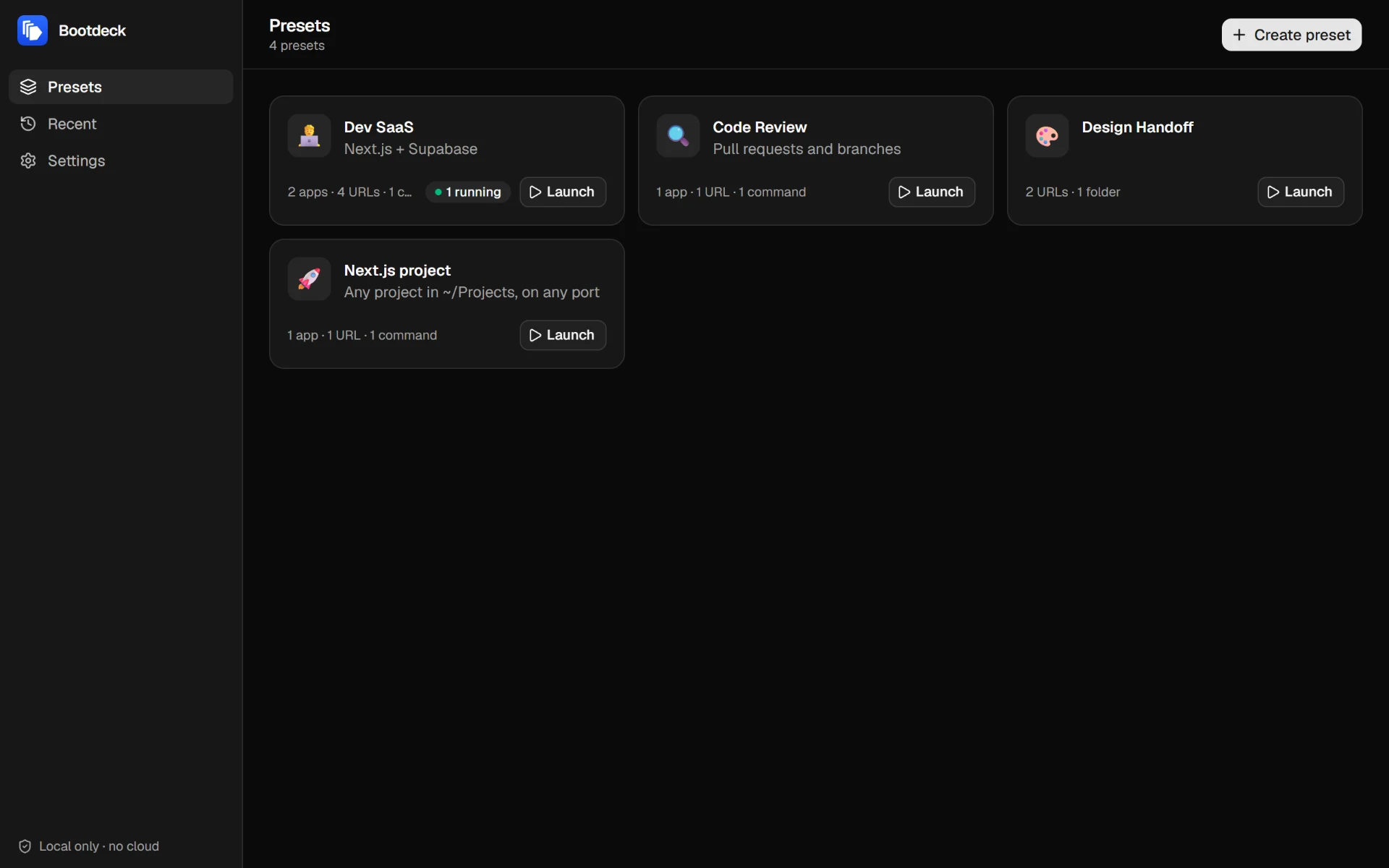
Open source
Read the code. Own the tool.
A launcher runs commands on your machine. Every line that does it is on GitHub.
Local only. Presets live in a readable JSON file on your disk. No account, no cloud.
No telemetry. Bootdeck sends nothing. It only opens the pages you choose, in your browser.
Runs when you click. You write the commands. They run only when you press Launch.
Locked down. Minimal permissions and a strict Content Security Policy.
MIT licensed. Use it, fork it, build it yourself.
$ git clone https://github.com/garerim/bootdeck.git$ cd bootdeck$ npm install$ npm run build# installer in src-tauri/target/release/bundle/nsisGet Bootdeck.
Windows
Windows 10 or 11, 64-bit- 1Download the installer from the latest release.
- 2Run it. No administrator rights needed.
- 3Open Bootdeck from the Start menu and create your first preset.
1.6 MB. Requires WebView2, added by the installer if missing.
The installer is not code-signed yet, so Windows SmartScreen may warn you. Click More info, then Run anyway. You can also build it yourself.
LinuxPreview
Bootdeck builds and runs on Linux, but no package is published yet. Build it from source in a few commands.
Linux guidemacOS
Not supported yet. Contributions are welcome.
Is it free?
Yes. Bootdeck is free and open source, under the MIT license.
Where is my data stored?
In readable JSON files on your computer: %APPDATA%\dev.bootdeck.desktop on Windows, ~/.local/share/dev.bootdeck.desktop on Linux. Your presets are in presets.json, the launch history in sessions.json. Nothing leaves your machine.
Does Bootdeck connect to the internet?
Only to do what you ask: it opens the web pages you add, in your browser. There is no telemetry and no account.
What happens to my commands when I close the app?
They stop with it, so a dev server never keeps a port busy in the background. On Windows, this also holds if the app crashes. If you are editing a preset with unsaved changes, Bootdeck asks before closing.
Does it work on macOS?
Not yet. Bootdeck is tested on Windows 10 and 11, and Linux is in preview (see the Linux guide). The code is shared with macOS but has never been built there: contributions are welcome.
Start your workday in one click.
1.6 MB, no account, no telemetry. Free and open source.